
Guide
Immersive Translation: Read Side by Side, or Translation Only
Read foreign-language articles without leaving PoweReader. The translation appears below each paragraph, or you can show the translation only.
Many sites worth following publish in another language. Immersive translation puts the translation right in the article, so you don't have to copy and paste text or switch to another app.
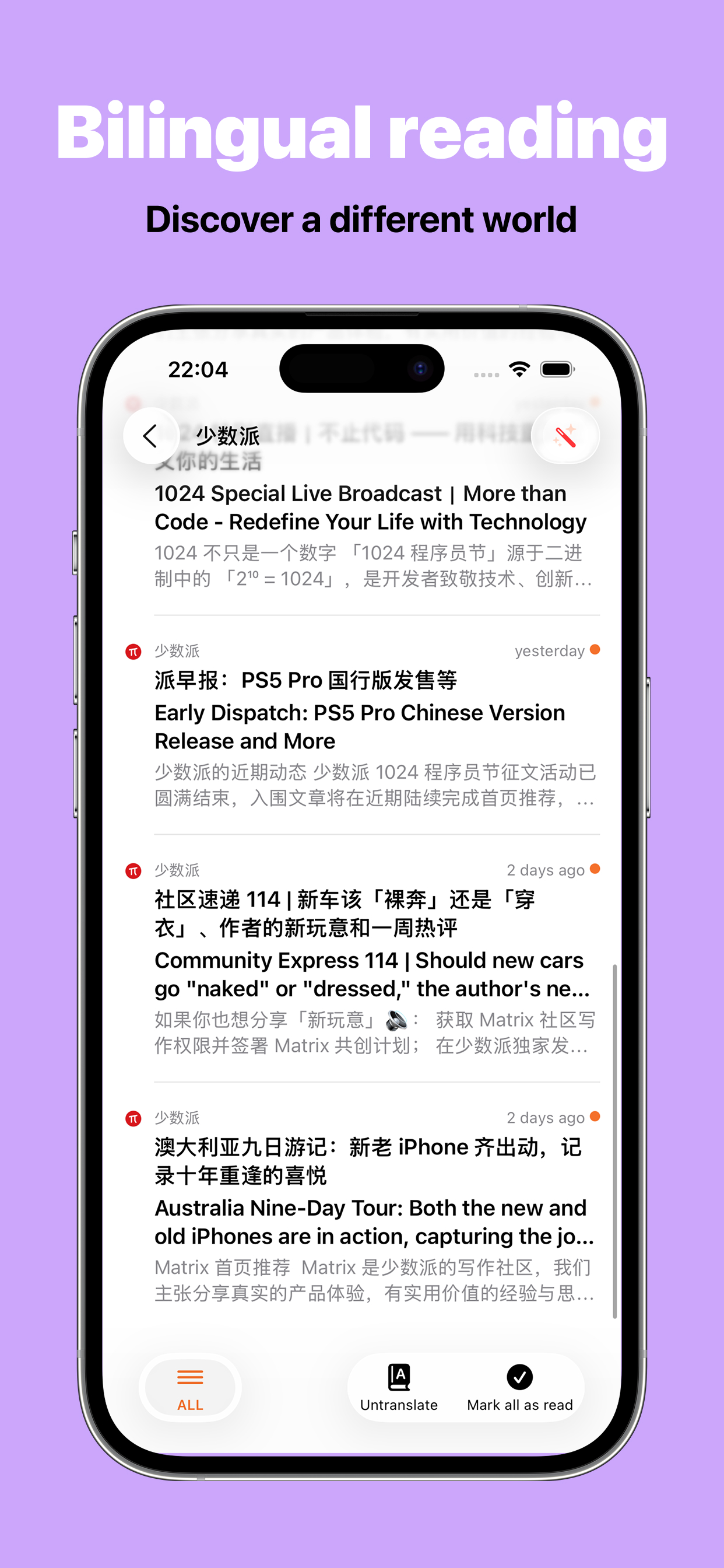
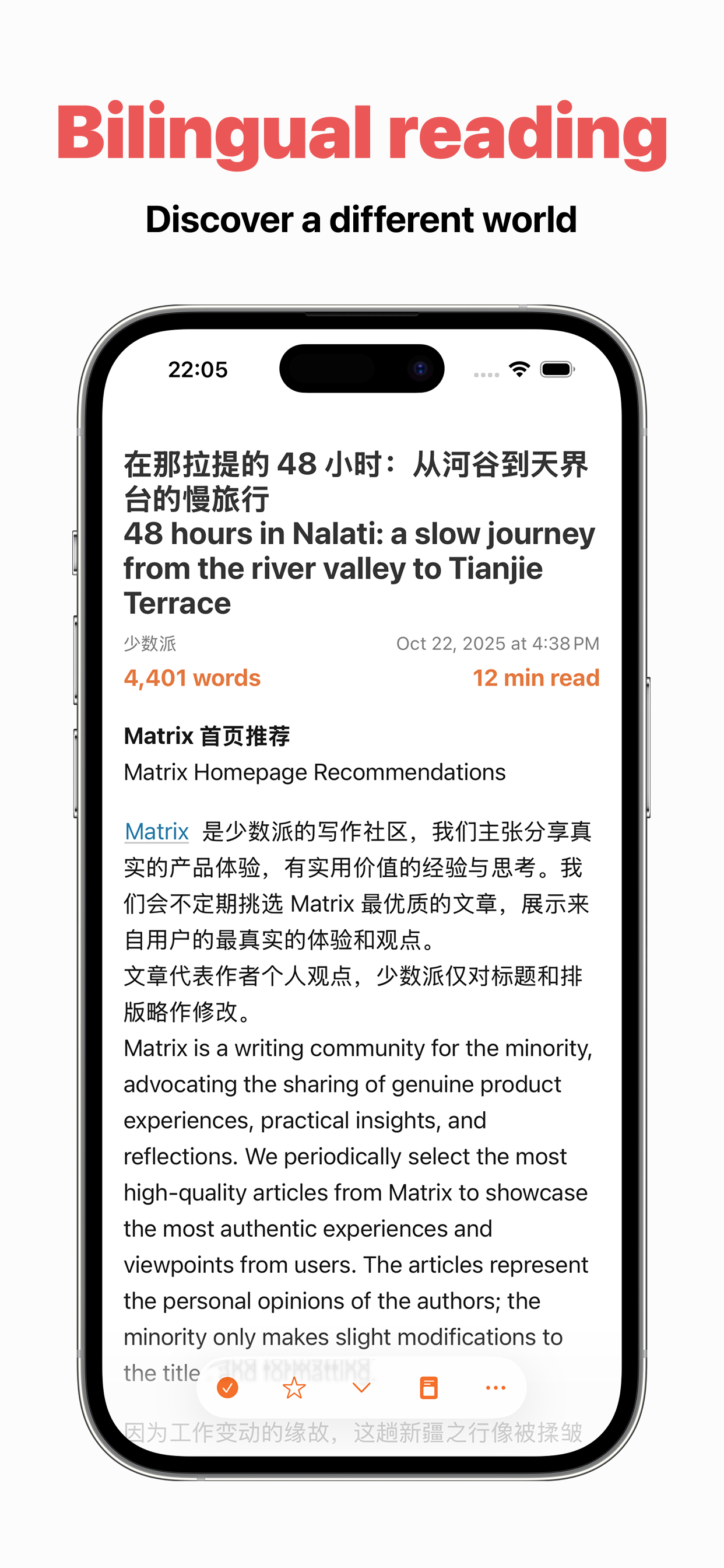
Read side by side
Tap the Translate button in an article. Each paragraph's translation appears below the original, at the same size, so you can compare them. Tap it again to go back to the original.
Translation only
Turn on Show Translation Only in Settings to see only the translation. Switching doesn't translate the article again or use more of your allowance. Paragraphs with images or videos still show the original.
Automatic translation
Turn on automatic translation for a feed, and its articles are translated when you open them. Headlines in the article list can show a translation too, so you can tell at a glance what's worth reading.
Translation methods
- Online AI translation: the most natural translations; uses your translation allowance
- Apple Translate: the system's built-in translation; doesn't use your allowance
- Offline translation: runs on your device, works without a connection, and doesn't use your allowance
Paragraphs already in your language aren't translated again, such as an English quote in a French article.
Usage
Immersive translation is part of Premium. Only online AI translation uses translation usage, counted by characters, with a new allowance each billing period. It's separate from your 100 AI uses a month, so translating articles never uses AI uses.
This feature was inspired by Immersive Translate.